
What Is a Digital Vehicle Inspection (DVI)?
A plain-English explainer of the workflow that replaces the auto-shop runaround. Photos to your phone, tap-to-approve estimates, no upsell scripts.
The 30-second answer
A Digital Vehicle Inspection (DVI) is a shop's full inspection delivered to your phone instead of a clipboard. Every finding gets a photo and a line-item price. You tap which items you want done, decline the rest, and the bill matches what you approved. That's it.
Mechanically, DVI is software-driven (we use Tekmetric). Conceptually, it's a transparency move — the shop shares the evidence before quoting parts. See a real sample DVI report.
Why it matters
Most shops won't show you the worn part. They tell you over the phone and you agree to a number you can't verify. DVI flips that — you see the same brake-pad measurement we see, the same code-scan output, the same fluid color photo. Hard to misrepresent something the customer is staring at.
What's in a typical DVI report
- Vehicle data — VIN, mileage, year/make/model, prior service history (via CARFAX integration)
- Bumper-to-bumper inspection — fluids, brakes, tires, belts, hoses, suspension, lights, battery
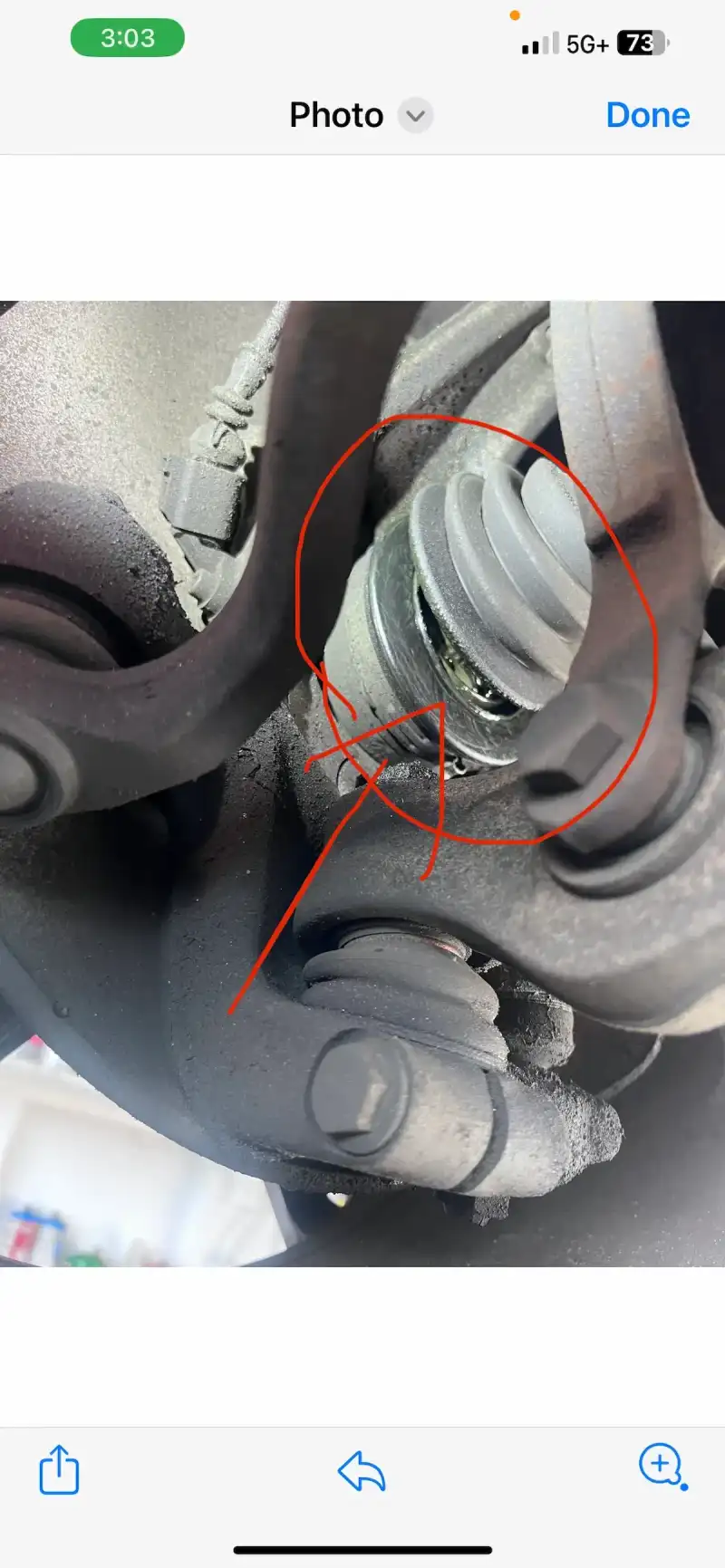
- Photos of every finding — worn pad measurement, leaking gasket, low fluid, dirty filter
- Live diagnostic data when the car came in with a complaint — code scan, freeze frame, sensor outputs
- Itemized estimate — each finding with parts + labor + total
- Manufacturer Service Bulletins (TSBs) — the dealer's known-issue database for your year/make/model
- Tap-to-approve interface — you select which items to do, decline the rest
The customer side, step by step
- Book online or call. You get a confirmation text with your advisor's name (Moe) and an estimated completion time.
- Drop off. Either drive in during business hours or use the mobile-check-in link for after-hours drop-off — log keys, mileage, your concerns.
- The inspection happens. Favio runs the full inspection and documents everything with photos. Worn pads. Leaking gaskets. Tire tread. Fluid color. Each finding gets a photo and notes.
- The report lands on your phone. Within a few hours of drop-off, you get a text with a link to your DVI report. Photos, notes, line-item prices.
- You decide. Tap the items you want done. Decline the rest. The shop only does what you approved.
- Pay and pick up. Real-time text updates while we work. Pay from your phone or in person. The bill matches what you approved.
What makes DVI different from a paper inspection sheet
- Photos > checkboxes. "Worn pad" on a paper sheet means whatever the writer says. A photo of the pad next to a measurement gauge means a number you can verify.
- Tap-to-approve > phone tag. The phone-call model is convenient for the shop and inconvenient for you. Tap-to-approve lets you decide on your schedule with the evidence in front of you.
- Permanent record. Every report stays on your customer file. Two years later, you can still see what was found, what was approved, what was declined.
- Declined items tracked. Said "not now" to a brake fluid flush? Next visit, we remind you it's still pending. No surprise breakdowns six months later.
Why most shops don't do this
Two reasons. The platform costs money — Tekmetric is a dealer-grade system that not every independent shop subscribes to. And the workflow only works if the shop is genuinely OK with the customer declining repairs. A shop on commission doesn't want every visit to be tap-to-approve, because customers tap fewer items than a service writer can pressure into the bill.
Beacon picked the systems specifically because we don't run on commission, and we don't want to oversell. With the systems doing the describing and approving, what's left for us is the four things we're good at: maintenance, diagnostics, repair work, and education when you want it. More on why we run on systems, not pitches.
See it for yourself
A real DVI report from a recent customer (anonymized) lives at /sample-dvi. The full process — booking, inspection, approval, pickup — is mapped out at /how-we-work.
- Photos of every inspection finding sent to your phone
- Tap-to-approve estimate — bill matches what you approved
- CARFAX history + manufacturer Service Bulletins pulled automatically
- Permanent customer record — declined items tracked across visits
- Free with any service — never an add-on charge
Common Questions About DVI
What it is, what it costs, and how the workflow actually goes.
Is the DVI report free?
How is DVI different from a regular inspection report?
Do I have to use my phone?
What software does Beacon use for DVI?
What if I don't want to add the items the inspection found?
Can I see a real DVI report before booking?
Updated
Related car symptoms
Other symptom or milestone? Tap below — or walk through our triage tool .
What Customers Say About the DVI Workflow
Reviews mentioning the photos, the texts, and the no-pressure approval flow.
“Moe was very helpful, patient, and clear on explaining all things in a used vehicle inspection. We were able to use what he told us to haggle down the price a bit, and told us…”
— Katie Franz
Read more“Moe was fantastic ! I had previously taking my car to the dealership and they told me something that was wrong with my car that didn't need to be fixed. Moe said he ran the…”
— Jamie M.
Read more“Friendly and thorough in their attention to service.”
— Chevrolet Malibu Owner
“Favio and Moe helped me complete a pre purchase inspection and gave really candid, honest and helpful advice. Both of them offered to continue helping me even after the service…”
— Kathleen Torrez
Read more“The #1 quality of Moe and his shop is that they will go through the weeds with you to solve your problem and even give you insight into your car. Fixed the air conditioning in my…”
— Lorenzo G.
Read more“Excellent service! Car was in bad shape and turn around time to fix the needed items took around 2 1/2 days! Car runs like new now!”
— Hyundai Sonata Owner
Try the DVI Workflow Yourself
Free with any service. Drop off in the morning, get the report on your phone, decide what gets done. Bill matches the quote.
Book a Service With DVI